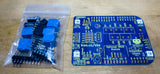
I need your help to bring back the EtherTen and EtherMega, updated to suit the very limited range of silicon that's now available.

These days wireless networking is the popular way to build network-enabled devices, but there's still a strong need for Ethernet in many situations.
Wired Ethernet:
- Avoids interference issues
- Allows power to be supplied to the device down the same cable
- Keeps your IoT devices isolated from other network users
The EtherTen and EtherMega are the most popular boards that Freetronics has ever made, but for the last 2 years the global shortage of AVR microcontrollers has prevented me doing more production runs. Sadly they've been out of stock for a long time and there's nothing I can do about it.
There are a few options for creating equivalent boards. For example, a board in the EtherTen format but using another MCU such as the ATmega4809 that is used on the Arduino Every.
Unfortunately, the 4809 has now also moved into the "unobtainium" category!
However, not all MCUs have been impacted. Strangely enough, it's older MCU designs based on more primitive fabrication technology that have seen the worst of it. That's because new chip fabs are built for newer (and smaller) manufacturing processes, and the old chip designs can't simply be moved to these new fabs. The world is losing its ability to manufacture older chip designs, and the economic incentive to replace that capacity just isn't there.
So the strange result is that older, simpler MCUs such as 8-bit AVRs are now almost impossible to find, but newer, more sophisticated MCUs such as the Espressif ESP32 are readily available at low prices with seemingly unlimited stock.
Very frustrating for anyone relying on existing board designs!
But this does open up an interesting idea
Although the ESP32 is known for its onboard WiFi, it's also capable of having a wired Ethernet interface. I've designed several ESP32+Ethernet boards, including the SuperHouse Rack32 which is specifically intended to be used in rack-mount projects:

It has an ESP32 with WiFi, but also has onboard Ethernet with PoE support. In many ways it's similar to an EtherTen or EtherMega, but in a different physical form factor so it's not a direct replacement for either of them.
This is where you come in!
I'm weighing the options for making a version of either the EtherTen or EtherMega with an ESP32 onboard that maintains shield compatibility, but there's no way for it to be a 100% direct drop-in replacement:
- The Arduino IDE board profile is different, and existing code would have to be modified
- I/O would be at 3.3V, instead of 5V
- I/O pin allocations wouldn't be a direct match
In the case of an EtherMega equivalent, the ESP32 doesn't even have enough I/O pins so there would need to be an I/O expander onboard to add those pins. This in turn adds to the software burden of converting existing projects.
What I'd like from you is your feedback on what's important to you. For example:
- Does 5V I/O matter, or is 3.3V ok?
- Do you prefer the Uno (EtherTen) or Mega (EtherMega) form factor?
- Does Ethernet even matter to you anymore, or is that irrelevant these days?
Please have your say! You can comment on this post on the Freetronics site, or email me personally.
Thanks for your input!
-- Jon